Visualize the hidden world of magnetic flux. It can be nicely used to visualize the direction and strength of the magnetic field of random objects around you. With limitations (see below) it can be used as a metal detector to find electric lines or pipes in the wall (always good to check a wall before drilling in, at least better with this than not to check at all). Another application is to use this tool as a rough estimate of your north-south position on earth without using the GPS – just by measuring the local earth magnetic inclination (in contrast to GPS in general it works while flying a long trip in a plane to check how the inclination changes).
User Manual
First off, a short video of “Relative Mode”: By moving a small magnet near the iPhone you can see how sensitive the inbuilt magnetometer is.
The red buttons switches between the four main modes (Magnetometer, Magnetometer-Relative, Acceleration and Acceleration-Relative). The yellow button function depends on the main mode (3 sub-modes for Magnetometer and 4 sub-modes for Acceleration and Reset in Relative Mode). The yellow dot displays the sensor location of the combined accelerometer & magnetometer on screen.
Calibration: After start, first calibrate the magnetic field sensor. Usually, the best way to calibrate the magnetometer is by rotating the phone around its 3 axis. The application starts with in Magnetometer Absolute Mode. If your device has not magnetometer sensor, it will skip this mode and directly turns into the Acceleration Absolute Mode.
Magnetometer Main Mode
In this main mode the yellow button switches between the following sub-modes.
 Absolute Mode (Initial): Displays the absolute magnetic field in microtesla (μT) measured by the magnetometer. Don’t be confused if it points downward (northern hemisphere) or upward (southern hemisphere), this visualizes the three dimensional magnetic field, unlike a compass which is limited to the horizontal contribution. The earth magnetic field indicated is usually greater than the 31 μT on the equator, where it is the lowest.
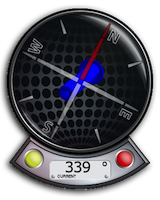 North Mode: A compass head-up displays the geographic north along with the pointer that directs to the magnetic north (thus display difference magnetic to geographic north). The blue arrow indicates 3-dimensional into the magnetic north that is calculated internally, while the head-up compass is using the current heading as delivered by the device API (and used in the compass application). The digital indicator displays the current bearing (0° – 360°). If the compass head-up display does not rotate please start the built in compass or maps application and restart this application (this will be fixed with the next update).
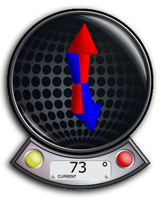 Inclination Mode: Two arrows will be displayed to indicate the inclination of the earth magnetic field (0° just on equator, increasing to north with blue pointer direction up or south with blue pointer direction down). The blue pointer indicates the magnetic field direction and the red arrow points to the upward direction (both not scaled by the strength) to indicate the angle between gravitation and magnetic field. The digital indicator displays the angle numerically (0° – 90°).
Magnetometer Relative Main Mode
In this mode the yellow button resets the compensation vector.
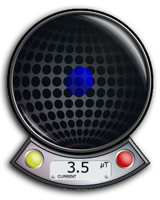 Relative Mode: This mode shows the relative strength (absolute minus compensation vector) of the magnetic field in μT. When the device is rotated in any direction the compensation vector has to be reset by pressing the yellow button when holding steady.
Acceleration Main Mode
In this main mode the yellow button switches between the following sub-modes.
 Absolute Mode (Initial): Displays the reverse acceleration of the iPhone (1g up when hold steady). The digital indicator shows the acceleration in g. We will add the option to reverse this arrow in this mode with the next update of this software.
 Z-Rotation: The arrow will display the rotation around the Z-Axis of the iPhone. The digital indicator shows the angle numerically (-180° – +180°) where 0° is in the center. A way to calibrate will be added with one of the next updates, so you could use this as a level.
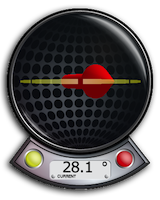 Y-Rotation: The arrow will display the rotation around the Y-Axis of the iPhone. The digital indicator shows the angle numerically (-180° – +180°) where 0° is in the center. A way to calibrate will be added with one of the next updates, so you could use this as a level.
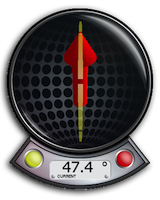 X-Rotation: The arrow will display the rotation around the X-Axis of the iPhone. The digital indicator shows the angle numerically (-180° – +180°) where 0° is in the center. A way to calibrate will be added with one of the next updates, so you could use this as a level.
Acceleration Relative Main Mode
In this mode the yellow button resets the compensation vector.
 Relative Mode: This mode shows the relative strength (absolute minus compensation vector) of the acceleration. When the device is rotated in any direction the compensation vector has to be reset by pressing the yellow button when holding steady.
Final notes
To use as a metal detector the objects need to be actively magnetic since physically no strong enough oscillation is actively produced on a typical mobile device (not specifically built for this application). This is fundamental.
For recreational use only. However it CAN (!) be very accurate. The measurement is performed as good as possible (we try our best) by using the inbuilt accelerometer and magnetometer to their limits. The range of the accelerometer typically has a max of ±3g (~4.2g displayed here if combined) and each magnetometer usually recalibrates internally when over ±120μT in one axis. However, tell us your experience!
Declination explained above is actually inclination.
You are right, the declination would be the derivation from the magnetic north to the true north. Fixed now.
Great! It can detect power lines in the walls!
I work as a test technician at a GE MRI factory. We build 1.5 and 3.0 T magnets. Under 5 gauss this is a very accurate tool as compared to our calibrated test equipment. I got it just for a toy but it works great!
Very good job! We re using it for paranormal phenomens research. Thanks!